| VirtualBox and Windows |
|---|
|
You can play game in Mac and Linux using VirtualBox and Windows 11. Mac can use both Bootcamp and VirtualBox to install Windows on itself. Please search the internet for detailed installation instructions. The following shows how to install VirtualBox on Windows. |
 윈도우 버추얼박스 설치 따라하기 - Oracle VirtualBox (Windows hosts) Download ⟿ www.virtualbox.org - Windows XP-7-10-11 ISO Download ⟿ kbench.com, microsoft.com  버추얼박스를 설치하면, 컴 하나로 한글/영문 윈도우를 동시에 돌릴 수가 있고, 윈도우 11과 7을 동시에 돌릴 수도 있습니다. I. VirtualBox 설치하기 다운로드 받은 Oracle VirtualBox (Windows hosts)를 설치하십시오! 아래는 VirtualBox를 설치하면 나오는 Oracle VirtualBox의 관리자 초기화면입니다. "새로만들기"를 클릭합니다. 가상머신만들기 화면이 나타납니다. 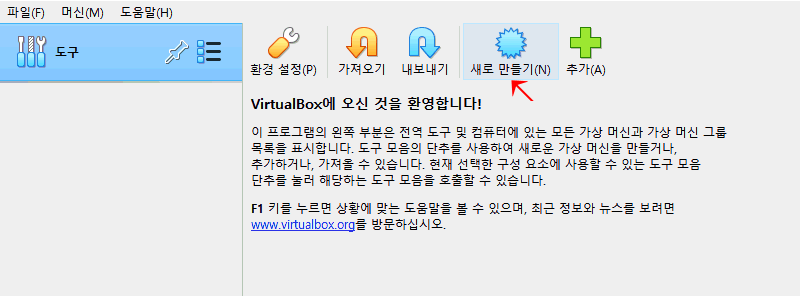 II. 가상머신 만들기 가상머신 이름(예로써 Windows11English)과 iso 파일위치를 넣어줍니다. 다음 버튼을 눌러 암호와 제품키(예로써 W269N-WFGWX-YVC9B-4J6C9-T83GX)를 입력합니다. 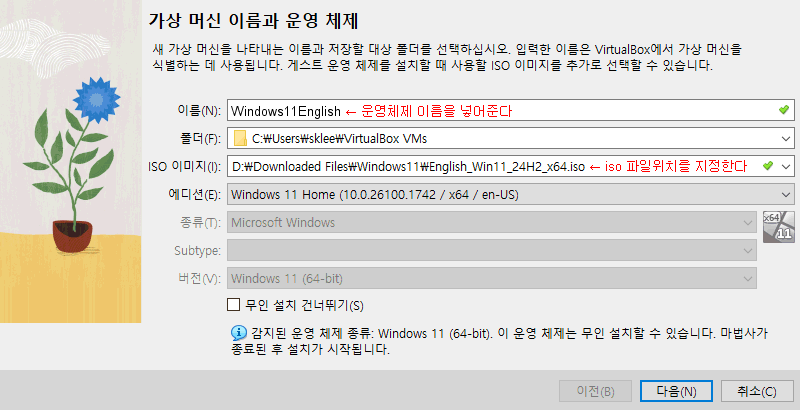 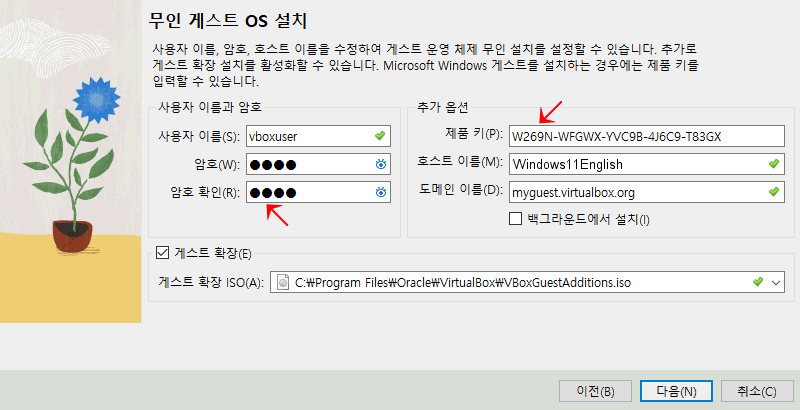 III. Windows 설치 가상머신 윈도우는 자동으로 설치됩니다. 윈도우가 설치된 후에는 시작 단추를 누르면 윈도우가 실행됩니다. 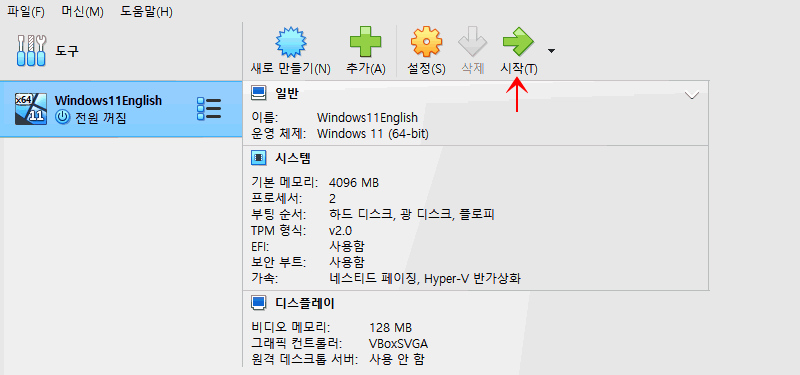 이제 여러분은 컴 하나에서 윈도우11-10-7-XP를 모두 돌릴 수 있게 되었습니다. 컴 하나로 한글/영문 윈도우를 동시에 돌릴 수도 있습니다. 축하합니다. 그리고 수고하셨습니다.^^  |